
AI Prompts for AI LinkedIn Headshot Generation
20 of the best prompts for AI LinkedIn headshot generation, step by step across 4 stages. Works with ChatGPT, Claude, and Gemini.
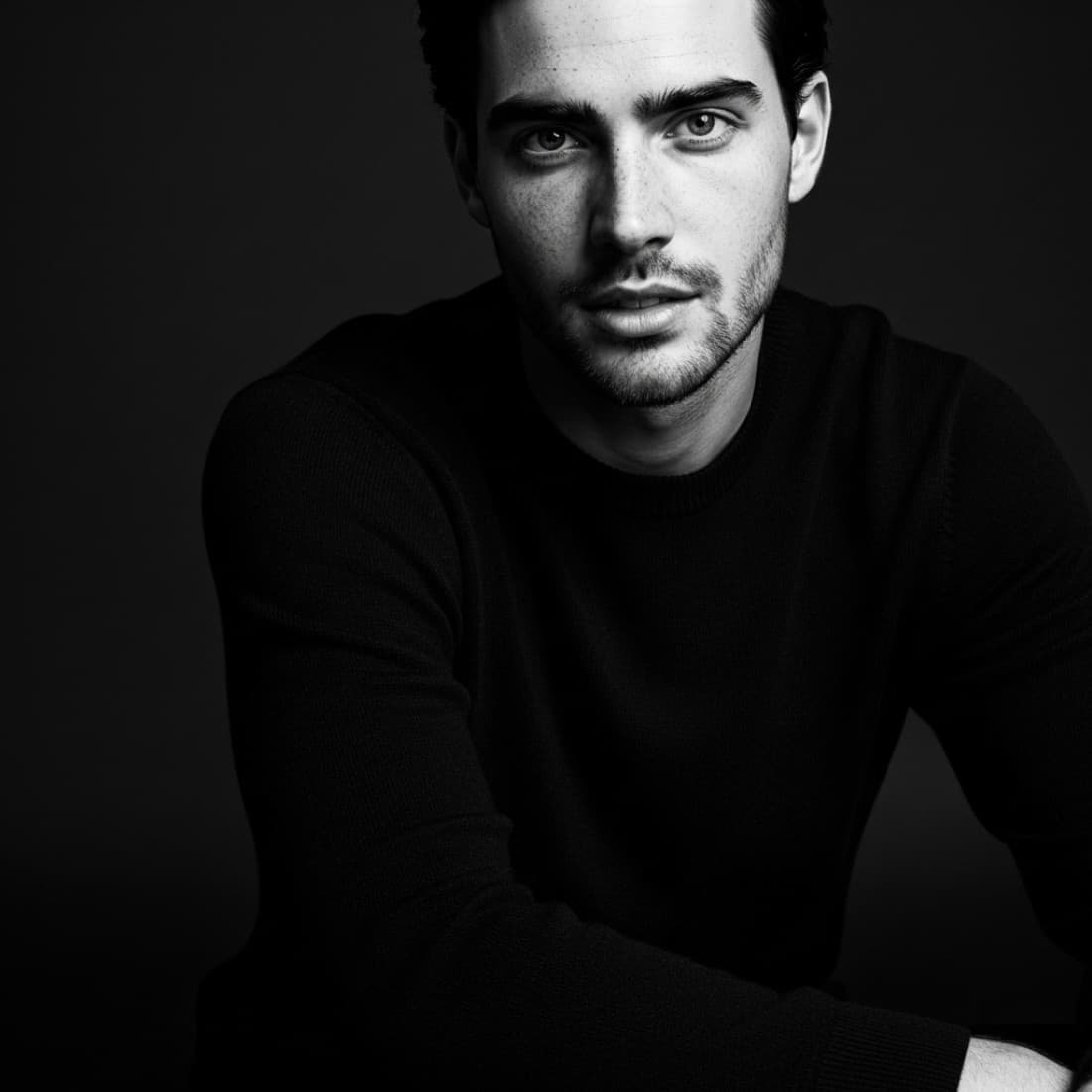
AI Prompts for AI LinkedIn Headshot Generation
20 of the best prompts for AI LinkedIn headshot generation, step by step across 4 stages. Works with ChatGPT, Claude, and Gemini.
Most people try to use AI for AI LinkedIn Headshot Generation with a single vague prompt and get generic results. This guide takes a different approach: 4 targeted stages, from Set Up Your Reference and Tool through Polish and Prepare for Publishing, each with a prompt that gives the AI exactly the context it needs. A weak LinkedIn photo costs you interviews, deals, and credibility before you say a word. These prompts guide you through generating a professional headshot with any AI image tool, from choosing the right reference to nailing the lighting, expression, and background that reads as competent and approachable at thumbnail size. Works with ChatGPT, Claude, and Gemini.

Set Up Your Reference and Tool
The quality of your AI headshot depends almost entirely on the inputs you give the model. These prompts help you define your look, prepare your reference image, and choose the right tool for the output you need.
Choose the right AI tool for headshots
I want to generate a professional LinkedIn headshot using AI. My priorities are: photorealism, consistent lighting, and a clean background. Compare Midjourney, Nano Banana, ThePortraitOS, and ChatGPT for this specific use case. Which tool should I use if I want to upload a reference photo of myself and get a realistic, professional result? What are the limitations of each?
Prepare your reference photo brief
I am preparing to generate an AI headshot and need to take or select a reference photo of myself first. What are the exact characteristics of a reference photo that produces the best AI headshot results? Cover: lighting direction, facial angle, expression, background, clothing, resolution, and anything I should avoid. Give me a checklist I can use before I take the photo.
Define your professional look
Before I generate a LinkedIn headshot, help me define what professional means for my specific context. My role is [JOB TITLE], my industry is [INDUSTRY], and the impression I want to create is [APPROACHABLE / AUTHORITATIVE / CREATIVE / TRUSTWORTHY]. What clothing, expression, background color, and lighting style best matches that positioning? Be specific, not generic.
Pick the right background for your headshot
I am generating a professional headshot for LinkedIn. Help me choose the right background for my industry and role. My job title is [JOB TITLE] and my industry is [INDUSTRY]. Compare plain studio backgrounds, blurred office environments, outdoor natural light, and branded color backgrounds. Which works best for my context and why?
Write your Nano Banana headshot setup prompt
I want to use Nano Banana to generate a LinkedIn headshot. My reference photo shows [DESCRIBE YOURSELF: GENDER, HAIR COLOR, APPROXIMATE AGE, SKIN TONE]. I want a [FORMAL / BUSINESS CASUAL] look with [BACKGROUND DESCRIPTION]. Write me the exact Nano Banana prompt to generate a photorealistic professional headshot that looks like a real photograph, not an illustration.
Generate Your Core Headshot
This is the main generation stage. These prompts give you the exact language to use in Midjourney, DALL-E 3, or Nano Banana to produce a clean, photorealistic professional headshot from your reference.
Write a Midjourney headshot prompt
Write a Midjourney prompt to generate a professional LinkedIn headshot for a [JOB TITLE] in [INDUSTRY]. The subject is [GENDER DESCRIPTION], [HAIR COLOR], [APPROXIMATE AGE RANGE], [SKIN TONE]. The look should be [FORMAL / BUSINESS CASUAL]. Background: [PLAIN GRAY / BLURRED OFFICE / OUTDOOR BOKEH]. Lighting: soft, directional, professional studio. Style: photorealistic, DSLR quality, not illustrated. Include all relevant Midjourney parameters for the best headshot result.
Write a DALL-E 3 headshot prompt
Write a DALL-E 3 prompt to create a photorealistic professional LinkedIn headshot. The subject appears [GENDER], has [HAIR COLOR AND STYLE] hair, is approximately [AGE RANGE] years old, and has [SKIN TONE] skin. They are wearing [CLOTHING DESCRIPTION]. The background is [BACKGROUND DESCRIPTION]. The lighting is professional and flattering, with a slight catch light in the eyes. The expression is confident and approachable. Render as a real photograph, not artwork.
Generate a consistent headshot series
I want to generate four headshot variations from the same reference to test which performs best. Write four distinct Midjourney prompts for a [JOB TITLE] that vary: (1) formal dark suit, plain background; (2) business casual, blurred office; (3) outdoor natural light, casual professional; (4) creative or industry-specific styling. Keep all other variables the same so the comparison is fair. The subject is [DESCRIBE SUBJECT].
Fix a specific generation problem
My AI-generated headshot has the following issue: [DESCRIBE PROBLEM: EYES LOOK ARTIFICIAL / SKIN TEXTURE IS WRONG / LIGHTING IS FLAT / EXPRESSION IS STIFF / BACKGROUND IS DISTRACTING]. Write a revised prompt that specifically addresses this issue while keeping everything else the same. Explain what parameter or phrasing change fixes this particular problem.
Generate a diverse set of expressions
I want to test three different expressions in my LinkedIn headshot: (1) confident and direct, (2) warm and approachable, (3) focused and serious. Write three separate Midjourney prompts that will produce each expression on the same subject. The subject is [DESCRIBE SUBJECT] wearing [OUTFIT DESCRIPTION] against [BACKGROUND DESCRIPTION]. Each prompt should include specific guidance on the facial expression and body language.
Refine Lighting, Detail, and Realism
Most AI headshots fail at the detail level: flat lighting, uncanny skin texture, or eyes that read as fake at a glance. These prompts help you dial in the specific quality signals that make a headshot read as a real photograph.
Improve lighting quality
My AI headshot has flat or unnatural lighting. Rewrite my prompt to produce professional, three-point lighting that creates natural facial depth. My original prompt was: [PASTE YOUR PROMPT]. The lighting should have a key light from the [LEFT / RIGHT], a subtle fill light reducing shadows on the opposite side, and a rim light separating the subject from the background. Output the improved prompt for [MIDJOURNEY / DALL-E 3].
Add skin texture realism
My AI headshot looks too smooth and artificial on the skin. I need to add realistic skin texture without making it look over-edited in the other direction. Write a revised prompt that includes natural skin texture, subtle pores, and human imperfections at a DSLR level of realism. Original prompt: [PASTE PROMPT]. Explain what specific terms you added and why they improve realism.
Fix unnatural eyes
The eyes in my AI headshot look glassy, too symmetrical, or artificial. Write a revised version of my prompt that specifically addresses eye realism. Include guidance on: iris texture and color variation, natural catch light placement, realistic eyelid and lash rendering, and subtle asymmetry. Original prompt: [PASTE PROMPT]. Tool: [MIDJOURNEY / DALL-E 3].
Optimize for thumbnail visibility
My LinkedIn headshot will display at very small sizes in search results, feed cards, and message previews. Rewrite my generation prompt so the output is optimized for thumbnail readability. This means: face fills at least 60% of the frame, high contrast between subject and background, clear silhouette, and an expression readable at 40 pixels wide. Original prompt: [PASTE PROMPT].
Match a specific photography style
I want my AI headshot to match the style of a specific type of professional photography. The style I am targeting is [DESCRIBE: EDITORIAL PORTRAIT / CORPORATE STUDIO / OUTDOOR NATURAL LIGHT / ENVIRONMENTAL PORTRAIT IN OFFICE]. Write a Midjourney prompt that replicates this style accurately, including camera type, lens focal length, depth of field, color grading, and lighting setup. Subject: [DESCRIBE SUBJECT].
Polish and Prepare for Publishing
A generated image is not a finished headshot. These prompts help you write the right instructions to upscale, crop, retouch, and adapt your image for LinkedIn and other platforms.
Write retouching instructions for Photoshop or Canva
I have generated an AI headshot that is 90% of the way there but needs some polish. Write specific retouching instructions for [PHOTOSHOP / CANVA] to: (1) adjust the crop to center my face with headroom; (2) refine the background if it has any noise or artifacts; (3) correct the white balance if the skin tone looks slightly off; (4) sharpen the eyes slightly; (5) export at the right resolution for LinkedIn. Be specific about the tools and settings to use.
Adapt headshot for multiple platforms
I have a final LinkedIn headshot image. Write instructions for how to adapt it correctly for: LinkedIn (1:1, 400x400 minimum), Twitter/X (400x400, circular crop), company website bio (usually 3:4 or square), email signature (small rectangle), and Zoom profile. For each platform, note the optimal dimensions, crop, and any compression tips to avoid quality loss.
Write your LinkedIn profile photo alt text and context
I am uploading my new AI-generated headshot to LinkedIn. Help me write: (1) the photo alt text for accessibility, (2) an updated headline that matches the professional image I have created, and (3) an About section opening line that reinforces the first impression my photo creates. My role is [JOB TITLE], my industry is [INDUSTRY], and the impression I want to create is [DESCRIBE POSITIONING].
A/B test two headshot options
I have two AI headshot variations and I want to test which performs better on LinkedIn before committing. Design a simple A/B test I can run over [TIMEFRAME]. What metrics should I track, how should I switch between photos, and how will I know when I have a clear winner? Also suggest two or three specific people or communities I could get rapid feedback from before going live.
Generate a matching banner image
I have a final headshot with these visual characteristics: [DESCRIBE COLORS, LIGHTING, TONE]. Write a Midjourney or DALL-E 3 prompt to generate a LinkedIn banner image that coordinates with my headshot. The banner should reinforce my professional positioning as a [JOB TITLE] in [INDUSTRY] without looking like a template. Include the exact dimensions and format guidance for LinkedIn banners.
Frequently asked questions
Is it against LinkedIn rules to use an AI-generated headshot?+
LinkedIn does not prohibit AI-generated profile photos. The platform requires that your photo represents you accurately and is not misleading. A photorealistic AI headshot generated from a reference photo of yourself is within those guidelines. Using someone else's likeness or a completely fabricated appearance raises ethical concerns and could violate platform rules.
Which AI tool produces the most realistic LinkedIn headshots?+
Midjourney, Nano Banana, and ThePortraitOS currently produce the most photorealistic headshots. Nano Banana and ThePortraitOS are the strongest options when you want the output to look specifically like you from a reference photo. ChatGPT with image generation handles prompt-based generation cleanly when you do not have a reference. Midjourney gives you the most control over lighting, background, and overall style.
How do I make an AI headshot look like a real photograph?+
The key factors are: reference photo quality (good lighting, clear face), specific lighting descriptions in your prompt (three-point lighting, catch lights in the eyes), realistic skin texture language, and a natural rather than posed expression. Avoid prompts that mention painting, illustration, or artwork styles. Upscale and lightly retouch the output for the final 10% of realism.
What background works best for a LinkedIn headshot?+
Plain, neutral backgrounds (light gray, soft white, or muted tones) perform best at thumbnail sizes because they create maximum contrast with your face. Blurred office or outdoor backgrounds work well for roles where environment signals credibility (e.g., law, real estate). Avoid busy patterns or high-contrast backgrounds that compete with your face.
Can I use one headshot across multiple platforms?+
Yes, with minor adaptations. Generate at the highest resolution available and crop to each platform's specifications. LinkedIn uses a square format, Twitter/X displays photos in a circle, and many company websites prefer a portrait ratio. The core image can be the same, but crop to show the right amount of the frame for each context.
The most popular prompts in ai linkedin headshot generation
Other prompt packages you might like
AI Prompts for Twitter/X Profile Picture Generation
Your Twitter/X profile picture is your brand at its smallest: a circle that needs to communicate who you are in under a second at thumbnail size.
See promptsAI Prompts for Dating Profile Writing
Creating an engaging dating profile can be challenging as many people struggle to express themselves authentically and attractively.
See promptsAI Prompts for Tinder Profile Photo Generation
Your Tinder photo set determines 80% of your match rate before anyone reads a word of your bio.
See prompts