
AI Prompts for AI Prompts for Corporate Headshots
20 of the best prompts for AI prompts for corporate headshots, step by step across 4 stages. Works with ChatGPT, Claude, and Gemini.
AI Prompts for AI Prompts for Corporate Headshots
20 of the best prompts for AI prompts for corporate headshots, step by step across 4 stages. Works with ChatGPT, Claude, and Gemini.
Published July 15, 2026 · Updated July 15, 2026
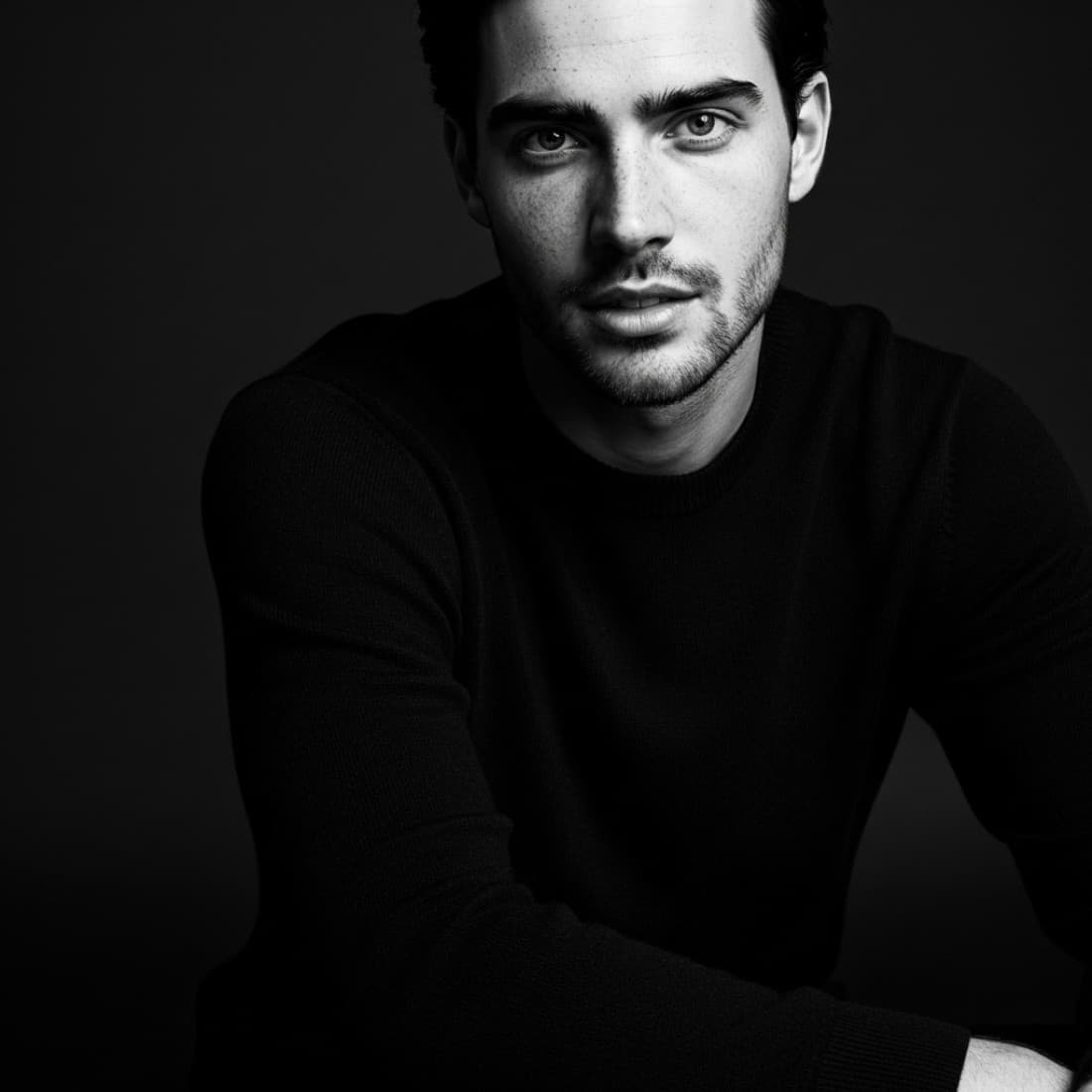
Corporate headshots serve a different purpose than LinkedIn profile pictures. A LinkedIn headshot says "hire me." A corporate headshot says "trust me" or "I represent this company." The difference shows in how the shot is framed, how formal the attire is, the background, the expression, and how the image fits alongside the rest of your team on an About page or press kit. AI can generate credible, professional corporate headshots that look consistent with brand guidelines and appropriate for specific industries. These prompts are built around that specific use case, not general portrait photography.
Plan your corporate headshot
Corporate headshots have specific requirements that consumer portrait photography does not. These prompts help you define exactly what you need before generating anything.
Define the corporate headshot style for your company
Help me define the right corporate headshot style for my company. Company type: [DESCRIBE: STARTUP / ENTERPRISE / PROFESSIONAL SERVICES / LAW FIRM / MEDICAL / TECH / FINANCE / CREATIVE AGENCY]. Company culture: [FORMAL / CASUAL / INNOVATIVE / CONSERVATIVE]. How headshots will be used: [ABOUT PAGE / PRESS RELEASES / CONFERENCE PROGRAMS / EMAIL SIGNATURES / INVESTOR DECK]. Based on this, describe: the ideal background, lighting style, attire formality, expression and body language, and whether the style should match current competitors or stand out from them.
Specify the exact headshot you need
I need a corporate headshot with these requirements: Industry: [DESCRIBE]. How it will be used: [ABOUT PAGE / PRESS KIT / SPEAKING PROFILE / COMPANY DIRECTORY]. Brand colors: [DESCRIBE OR "NEUTRAL"]. Formality level: [VERY FORMAL / BUSINESS PROFESSIONAL / BUSINESS CASUAL / SMART CASUAL]. What the photo needs to communicate: [AUTHORITY / APPROACHABILITY / EXPERTISE / TRUSTWORTHINESS / INNOVATION]. Based on these inputs, write a complete AI image generation prompt that specifies: background, lighting, attire, expression, framing, and technical quality markers.
Create a consistent headshot style for a team
I need to generate consistent corporate headshots for a team of [NUMBER] people. The headshots will appear together on [OUR ABOUT PAGE / AN INVESTOR DECK / A CONFERENCE PROGRAM]. Help me define a template that will make all headshots look like they belong together: (1) background type and color; (2) lighting direction and quality; (3) framing (head and shoulders / half-body); (4) attire guidance; (5) expression tone; (6) color grading direction. Write a base prompt that can be adapted for each individual while keeping the series visually consistent.
Choose the right background for your industry
What corporate headshot background is most appropriate for my industry and use case? I am in [INDUSTRY]. The headshot will be used for [USE CASE]. Options to evaluate: solid color background, gradient background, blurred office environment, branded background with logo or color, outdoor soft-focus environment, dark dramatic background. For each: tell me what it communicates professionally and which industries it suits or does not suit. Recommend the best option for my specific situation and write the background specification for an AI image prompt.
Plan headshots for different seniority levels
I need to generate headshots for team members at different seniority levels: [LIST LEVELS: INTERN / MANAGER / DIRECTOR / C-SUITE / BOARD]. The headshots should feel consistent as a set but subtly reflect seniority through styling choices. Suggest how to vary: background, framing, expression, attire formality, and lighting drama across levels while keeping the overall series cohesive. Write the specific prompt variation for each level.
Generate the headshot
Write AI generation prompts that produce genuinely professional corporate headshots, not generic portrait shots.
Generate a standard corporate headshot
Write a complete AI image generation prompt for a professional corporate headshot with these specifications: Subject: [DESCRIBE: GENDER / APPROXIMATE AGE / STYLE]. Industry: [DESCRIBE]. Attire: [DESCRIBE]. Background: [DESCRIBE]. Expression: [CONFIDENT / APPROACHABLE / AUTHORITATIVE / FRIENDLY PROFESSIONAL]. Camera and lighting: corporate photography quality, professional studio lighting, catchlight in eyes, soft shadow definition, sharp focus on face, depth of field that separates from background. Include negative prompt guidance for: avoiding amateur lighting, avoiding harsh shadows, avoiding stock-photo expressions. Format as a complete Midjourney or DALL-E prompt.
Generate a tech industry headshot
Write AI prompts for a corporate headshot in the tech industry style. Tech headshots tend to be: less formal than finance or law, often with brand-colored or plain backgrounds, casual-smart attire (no tie required), and approachable but confident expressions. Write 3 variations: (1) early-stage startup founder style (smart casual, plain background, direct camera), (2) enterprise tech executive (more formal, neutral background, composed authority), (3) product or engineering role (casual professional, blurred office or gradient background). Include specific attire, background, and expression details for each.
Generate a legal or financial professional headshot
Write AI prompts for corporate headshots in legal or financial services. These industries require: formal business attire, conservative backgrounds (dark or neutral), composed and serious expressions, and a high degree of polish. Write prompts for: (1) a senior partner or managing director (formal suit, dark background, authoritative expression), (2) a mid-level associate (business professional, neutral gray background, confident), (3) a client-facing advisor (formal but approachable, lighter background). Include technical quality specifications for each.
Generate a healthcare professional headshot
Write AI image prompts for professional headshots in healthcare. These need to communicate competence and trustworthiness. Variations needed: (1) a physician or surgeon (white coat, clinical environment background or white/light neutral, professional direct expression), (2) a hospital executive (business formal, neutral background, no clinical attire), (3) a therapist or counselor (approachable and warm, soft background, open expression). For each: specify attire, background, expression, lighting, and what the image should communicate to a patient or partner seeing it for the first time.
Generate a creative industry headshot
Write AI prompts for corporate headshots in creative industries (advertising, design, architecture, media, entertainment). Creative professional headshots can break conservative rules: more expressive backgrounds, stronger lighting contrasts, more personality in expression and styling. Write 3 variations: (1) design agency headshot (branded or color-statement background, modern styling, confident creative expression), (2) media or publishing (editorial portrait style, more dramatic lighting), (3) architect or interior designer (professional but with a strong visual identity, environment background). Each prompt should produce something that looks professional but creatively distinctive.
Industry and role-specific variations
Corporate headshots need to match both the industry and the specific role. These prompts cover the most common professional contexts.
Generate headshots for specific professional roles
Write individual AI image prompts for headshots suited to these specific professional roles: (1) CEO or founder (command authority, vision in expression, polished but not stiff), (2) sales director (warm, high-energy, approachable confidence), (3) CFO or financial officer (composed, precise, trustworthy), (4) marketing director (creative but polished, brand-aware), (5) HR or people director (warm, approachable, genuine smile). For each: specify how the expression, attire, background, and framing should differ from a generic "professional headshot" prompt.
Create headshots for company About page consistency
I have an About page that currently has inconsistent headshots (different backgrounds, lighting styles, quality levels). I need to generate replacement headshots that look like they were taken in the same session. Write a master prompt template that defines: consistent background, lighting style, framing, color temperature, and quality level. Then show me how to adapt the template for [3 DIFFERENT PEOPLE: DESCRIBE AGE, GENDER, ROLE FOR EACH] while keeping the series visually cohesive.
Generate a press kit portrait (different from company headshot)
A press kit portrait is different from a standard corporate headshot. It is used by journalists, event organizers, and media for [DESCRIBE: CONFERENCE PROGRAMS / ARTICLE BYLINES / PODCAST APPEARANCES / AWARD NOMINATIONS]. It should: work at small sizes (column width) and large (full-page), feel personal as well as professional, and stand out from generic corporate headshots. Write AI prompts for 3 press kit portrait styles: editorial (slightly more dramatic, high contrast), speaker (engaging, forward-leaning energy), and byline (clean, friendly, instantly recognizable at thumbnail size).
Generate email signature headshots
Email signature headshots have specific requirements: they appear at very small sizes (50-80px), they need to load fast, and they represent the brand in every outgoing email. Write AI image prompts for email signature headshots that: look professional at small sizes, use a simple clean background, have sharp facial definition with no busy details, have an expression that conveys approachability, and match the formality level of my industry: [DESCRIBE INDUSTRY]. Include cropping guidance for how to frame the shot to work at thumbnail size.
Generate headshots for speaking profiles and conference bios
Speaking profile headshots are used on conference websites, event programs, and speaker directories. They need to: convey authority and expertise, suggest the personality of the speaker, work at both portrait and landscape orientations, and look good alongside other speakers in a grid layout. Write AI prompts for 3 speaker headshot styles: keynote (commanding, authoritative, high-polish), workshop facilitator (approachable, practical, engaging), and panel expert (professional, focused, camera-direct). Include guidance on background choice for how the image will appear on an event website.
Refine and adapt your headshots
Getting a usable headshot often requires iteration. These prompts help you refine outputs and adapt them for different contexts.
Fix a headshot that does not look professional enough
My AI-generated corporate headshot does not look professional enough. The issues are: [DESCRIBE: LIGHTING LOOKS FLAT / BACKGROUND LOOKS FAKE / EXPRESSION LOOKS UNNATURAL / CLOTHING LOOKS WRONG / SKIN RENDERING LOOKS OFF]. Diagnose which elements are causing the problem and rewrite the prompt to fix specifically those issues. Include negative prompt additions that will suppress the problem in the next generation.
Adapt a headshot prompt for different output sizes
I need the same corporate headshot concept to work at three different sizes: (1) website About page (square, 400x400px or similar), (2) press release horizontal (landscape, wider crop), (3) LinkedIn/social (square, high detail). Write three prompt variations that adjust framing, crop depth, and composition for each use case while keeping the same overall look and feel. Each should specify the aspect ratio and how tight the crop should be.
Create photo variations for A/B testing
I want to test two versions of my corporate headshot to see which one performs better on [LINKEDIN / THE ABOUT PAGE / EMAIL SIGNATURES]. Write 2 prompt variants that change a single key variable: (1) one with a warmer, more approachable expression versus one with a more composed, authoritative expression; (2) one with a dark background versus one with a light or neutral background; (3) one in business formal attire versus one in business casual. For each pair: tell me what the difference will communicate and how to judge which version performs better.
Generate a matching headshot for new team members
I have an existing team headshot style I need to match for a new team member. The existing style is: [DESCRIBE OR PASTE THE PROMPT YOU USED FOR THE EXISTING SET]. Write a generation prompt for a new team member: [DESCRIBE: GENDER, APPROXIMATE AGE, ROLE, ANY SPECIFIC STYLING NEEDS]. The new headshot should look like it was taken in the same session as the existing set. Include guidance on how to match the color grading, background depth, and expression tone.
Write prompts for multi-use headshot packages
I need a set of headshots from one session that can be used across multiple contexts: website, LinkedIn, press kit, email signature, and social media. Write a prompt strategy that generates 4-5 variations from the same base prompt that cover all these uses: (1) tight crop for email signature and thumbnails, (2) standard head-and-shoulders for LinkedIn and website, (3) looser half-body for press kit, (4) more expressive variation for social media, (5) high-drama version for speaking profile. Keep all variations visually consistent while optimizing each for its use case.
Frequently asked questions
Can AI-generated corporate headshots be used professionally?+
Yes, with the right tools and prompts. Midjourney, GPT Image 2 (via ChatGPT), and Adobe Firefly can produce headshots that are indistinguishable from professional photography at digital sizes (website, email, social media). The key is in the prompting: vague prompts produce generic results, while specific prompts that describe lighting, attire, background, and expression produce results that look professionally shot. For print use (large format), you may need to check the output resolution against print requirements.
What is the difference between a corporate headshot and a LinkedIn headshot?+
A LinkedIn headshot is designed to attract recruiters and professional connections and lives on a platform where everyone else also has a headshot. A corporate headshot represents your company, appears on branded materials, and often needs to look consistent with other team members. Corporate headshots tend to be more formally styled, more consistent in background and lighting, and optimized for brand rather than personal visibility. They also need to work across more use cases: website, press kit, email signatures, conference programs.
How do I get consistent headshots across a whole team using AI?+
Create a master prompt template that defines all the fixed variables: background color and style, lighting direction and quality, framing (head and shoulders or half-body), color temperature, and overall visual style. Then adapt only the subject-specific variables for each person. The consistency comes from locking down everything the AI would otherwise vary between generations. Test the template with two or three subjects before generating for the full team to catch any inconsistencies.
What AI tool is best for corporate headshots?+
Midjourney produces the most photorealistic and professionally polished headshots and gives the most control over lighting and style through detailed prompting. ChatGPT image generation (powered by GPT Image 2) is easier to use with natural language and produces good results for straightforward professional shots. Adobe Firefly is the safest choice for commercial use because it is trained on licensed content. For team consistency, any of these works if you lock down a detailed prompt template and use it consistently.
Other prompt packages you might like
AI Prompts for AI Prompts for Founder and Entrepreneur Headshots
Generate professional headshots for startup founders and entrepreneurs using AI.
See prompts
AI Prompts for AI Professional Headshot Prompts
Generate polished, professional headshots using any AI image tool with prompts that cover every context from LinkedIn to company bios to speaker profiles..
See promptsAI Prompts for AI LinkedIn Executive Headshot Prompts
Use AI image tools to generate executive-level LinkedIn headshots that project authority, trust, and the gravitas that senior roles demand..
See prompts