
AI Prompts for Midjourney Portrait Photography Prompts: Photorealistic Results
20 of the best Midjourney portrait photography prompts for photorealistic results, step by step across 4 stages. Works with ChatGPT, Claude, and Gemini.
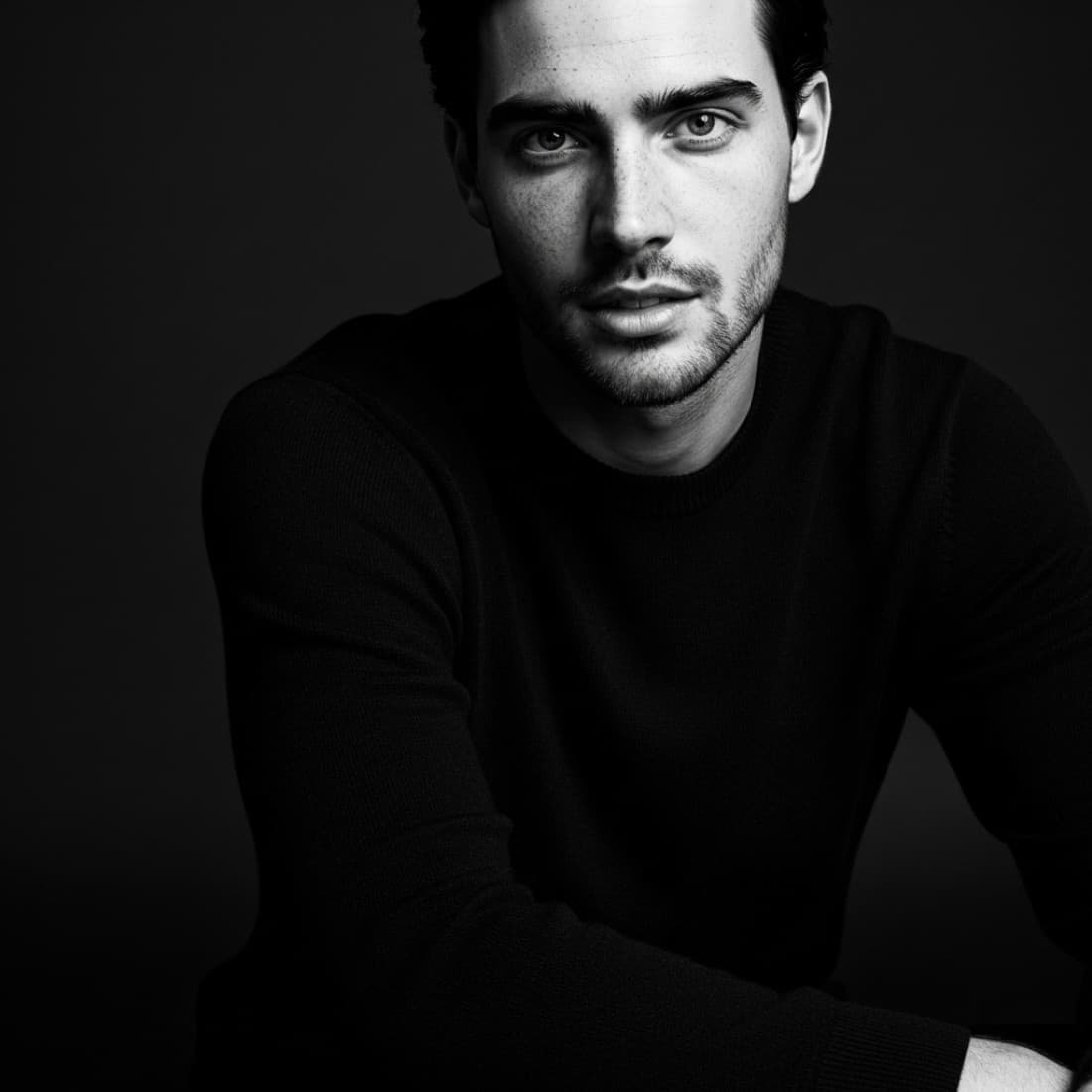
AI Prompts for Midjourney Portrait Photography Prompts: Photorealistic Results
20 of the best Midjourney portrait photography prompts for photorealistic results, step by step across 4 stages. Works with ChatGPT, Claude, and Gemini.
Getting Midjourney Portrait Photography Prompts: Photorealistic Results right takes more than a single prompt. This 4-stage guide covers Master Lighting for Portrait Photography, Write Core Portrait Prompts, Refine Technical Quality, and more, breaking the whole process into focused steps where each prompt builds on the last. Midjourney produces some of the most photorealistic portrait images available from any AI tool, but only when prompts are structured correctly. Generic descriptions produce generic results. These prompts cover the full portrait workflow: lighting setups, skin texture, lens and camera simulation, expression direction, background treatment, and post-processing style, so every output looks like a professional portrait rather than a default AI headshot. Every prompt is optimized and runs in ChatGPT, Claude, and Gemini.

Master Lighting for Portrait Photography
Lighting is the single biggest variable in portrait quality. Midjourney responds well to specific lighting terminology borrowed from professional photography. Generic terms like "good lighting" produce flat results; specific setups produce work that looks like it came from a studio session.
Write a Rembrandt lighting portrait prompt
Write a Midjourney prompt for a portrait using Rembrandt lighting, the classic setup that places a triangular catchlight under one eye while the other side of the face is in shadow. The subject is [DESCRIBE: GENDER PRESENTATION, APPROXIMATE AGE, STYLING]. The background should be [DESCRIBE: DARK SEAMLESS / TEXTURED STUDIO / ENVIRONMENTAL]. Include in the prompt: the specific Rembrandt lighting descriptor, the camera angle (slightly above eye level works best for this setup), the lens focal length simulation (85mm portrait lens), and the mood the lighting should create. Add --ar 4:5 and --style raw for maximum photorealism.
Write a natural window light portrait prompt
Write a Midjourney prompt for a portrait lit exclusively by natural window light. The subject is [DESCRIBE]. The window should be: positioned to the side of the subject (not behind or directly in front), large enough to create a soft gradient from lit to shadow side, and the light quality should be diffused (overcast sky through glass) rather than direct harsh sunlight. Include: a background that keeps the viewer's eye on the subject, natural colors and skin tones, and a slightly shallow depth of field that separates the subject from the background. Style: lifestyle portrait, not studio. --ar 4:5 --style raw.
Write a golden hour outdoor portrait prompt
Write a Midjourney portrait prompt for the magic hour: the 30 minutes after sunrise or before sunset when light is warm, directional, and flattering. The subject is [DESCRIBE]. The setting is [DESCRIBE OUTDOOR LOCATION]. The light should: come from a low angle behind or to the side of the subject, create a warm backlit rim or hair light, and fill the shadow side with soft ambient sky light rather than hard shadow. Skin tones should look warm and healthy. Include lens flare if it suits the mood. Style: editorial outdoor portrait. --ar 4:5 --style raw --no harsh shadows, artificial light.
Write a high-key beauty portrait prompt
Write a Midjourney prompt for a high-key beauty portrait with clean, bright, even lighting that shows skin texture and detail with minimal shadow. The subject is [DESCRIBE]. Background: pure white or very light gray seamless. Lighting: large softbox or beauty dish overhead, fill light removing all but the softest shadows. The image should feel: clean, aspirational, and suitable for beauty brand advertising or professional headshot use. Skin retouching level: natural (not overprocessed). --ar 4:5 --style raw.
Write a low-key dramatic portrait prompt
Write a Midjourney prompt for a low-key dramatic portrait with most of the frame in shadow and a single strong light source sculpting the subject. The subject is [DESCRIBE]. The light source should: come from one side at approximately 45 degrees, leave the shadow side of the face mostly dark with minimal fill, and create strong contrast between lit and unlit areas. Background: very dark or black. The mood should feel: intense, cinematic, editorial. This style works well for musicians, artists, professionals, and creative personal brand portraits. --ar 4:5 --style raw.
Write Core Portrait Prompts
These prompts cover the most common portrait formats: professional headshots, creative editorial portraits, lifestyle portraits, and personal brand imagery.
Write a professional headshot prompt
Write a Midjourney prompt for a professional headshot suitable for LinkedIn, a company website, or a speaking bio. The subject is [DESCRIBE: GENDER PRESENTATION, APPROXIMATE AGE, PROFESSIONAL FIELD, CLOTHING STYLE]. The headshot should: be shot at approximately 85mm focal length equivalent (compressed, flattering perspective), have a neutral or slightly blurred background that does not distract, use soft, even professional lighting (no harsh shadows), and have the subject positioned slightly off-center with their eyes approximately two-thirds up the frame. Expression: confident and approachable, slight natural smile or neutral. --ar 4:5 --style raw.
Write a creative editorial portrait prompt
Write a Midjourney prompt for a creative editorial portrait that goes beyond a standard headshot into something that could appear in a magazine or on a creative professional's portfolio. The subject is [DESCRIBE]. The concept is [DESCRIBE THE CREATIVE DIRECTION: A MOOD, THEME, OR VISUAL IDEA]. The image should: have a strong composition that would hold attention for more than two seconds, use lighting that creates atmosphere rather than simply illuminating, and feel like the subject has a specific personality rather than being a generic AI output. Include: specific camera angle, background or environment, and any props or styling elements that reinforce the concept. --ar 4:5 --style raw.
Write a personal brand portrait prompt
Write a Midjourney prompt for a personal brand portrait for [DESCRIBE PERSON: THEIR PROFESSION OR CREATIVE FIELD, THEIR BRAND PERSONALITY, THEIR TARGET AUDIENCE]. The portrait should communicate three things without using any text: who this person is professionally, why someone should trust or follow them, and a hint of their personality or creative approach. Specify: the styling that signals their industry (not generic professional attire), the setting or background that places them in their world, the expression and body language that matches their brand voice, and the lighting and color treatment that fits their aesthetic. --ar 4:5 --style raw.
Write a beauty and skincare portrait prompt
Write a Midjourney portrait prompt optimized for showing skin quality, texture, and clarity, suitable for use by a beauty brand, skincare product, or makeup artist portfolio. The subject is [DESCRIBE]. Focus: skin texture should be sharp, pores visible but not exaggerated, color accurate and healthy. Lighting: beauty dish or large diffused overhead source to show the skin surface without harsh shadow. Background: clean and neutral so the face is the entire focus. This prompt should produce an image that communicates skin health rather than heavy makeup. --ar 4:5 --style raw --no heavy retouching, airbrushed skin.
Write a series prompt for consistent character across images
I need to generate multiple Midjourney portrait images that all appear to feature the same person, with consistent facial features, skin tone, hair, and styling across all images. Write a Midjourney character seed prompt for [DESCRIBE THE CHARACTER]. The seed description should specify: hair color and texture in enough detail to regenerate consistently, distinctive facial features (eye color, face shape, specific features), skin tone using specific descriptors Midjourney responds to, and the styling. Then write three separate portrait prompts using this character seed, each in a different setting: [SETTING 1], [SETTING 2], [SETTING 3]. Explain how to use Midjourney's --cref or character reference to maintain consistency.
Refine Technical Quality
Photorealistic Midjourney portrait quality comes from specific technical parameters. These prompts help you dial in camera simulation, depth of field, skin texture, and post-processing to eliminate the "AI look" from outputs.
Eliminate the AI portrait look
My Midjourney portrait prompts are producing images that look clearly AI-generated: overly smooth skin, slightly off proportions, and a plastic quality to hair and fabric. Review this prompt: [PASTE YOUR CURRENT PROMPT]. Identify which elements are causing the artificial look and rewrite the prompt to: add specific camera and lens simulation terms that ground the image in photographic reality (Sony A7R V, Canon EF 85mm f/1.4L), include lighting terminology that Midjourney associates with real photography rather than digital art, add skin texture descriptors that prevent oversmoothing, and use --style raw to bypass Midjourney's default aesthetic processing.
Simulate a specific camera and lens for portraits
Write a Midjourney portrait prompt that simulates the visual characteristics of shooting with [CAMERA: CANON 5D MARK IV / SONY A7R V / NIKON D850 / LEICA M11] and [LENS: 85MM F/1.4 / 50MM F/1.2 / 135MM F/2 / 35MM F/1.8]. The simulation should capture: the specific bokeh quality of that lens (smooth, onion ring, swirly), the color rendering characteristics of that camera sensor, the depth of field at the specified aperture, and the compression or perspective that focal length creates. Subject: [DESCRIBE]. Setting: [DESCRIBE]. This camera simulation approach produces significantly more photographic-looking results than generic prompts.
Write a film photography portrait prompt
Write a Midjourney prompt for a portrait that simulates the look of film photography, specifically [FILM TYPE: KODAK PORTRA 400 / FUJI 400H / KODAK TRI-X BLACK AND WHITE / ILFORD HP5 / FUJI VELVIA SLIDE FILM]. The film simulation should include: the characteristic grain structure of that film at that ISO, the color shift and saturation profile (Portra is warm and skin-flattering, Velvia is punchy and saturated, etc.), the tonal response in highlights and shadows (film compresses highlights rather than clipping them), and the slightly imperfect sharpness of analog photography. Subject: [DESCRIBE]. Avoid any digital-looking sharpness or color accuracy. --style raw.
Control depth of field in a portrait
Write a Midjourney portrait prompt that achieves a specific depth of field effect: [SELECT: VERY SHALLOW WITH ONLY THE EYES IN FOCUS AND THE EARS BLURRING / MODERATE SHALLOW WITH THE FACE SHARP AND THE BACKGROUND SOFT / DEEP FOCUS WITH BOTH SUBJECT AND BACKGROUND SHARP]. The subject is [DESCRIBE]. Specify in the prompt: the aperture simulation (f/1.4 for very shallow, f/2.8 for moderate, f/8 for deep), the focal length and shooting distance that create this depth of field, and whether the background bokeh should be smooth and featureless or retain recognizable shapes. Shallow depth of field is the most common portrait choice but is often overdone, so specify the exact level you want.
Write a prompt for skin tone accuracy
Midjourney sometimes shifts skin tones toward default warm or golden values regardless of the subject's actual complexion. Write a portrait prompt that maintains accurate skin tone for [DESCRIBE COMPLEXION: FAIR WITH NEUTRAL UNDERTONES, MEDIUM OLIVE, DEEP WITH COOL UNDERTONES, ETC.]. The prompt should: use specific skin tone descriptors that Midjourney maps to accurate rendering, specify neutral lighting that does not add artificial warmth, include a color accuracy instruction (color accurate, true to life skin tones), and use --style raw to bypass any default color grading. Include negative prompts to prevent common skin tone errors for this complexion.
Build a Portrait Content Library
One portrait session concept should produce multiple assets for different uses. These prompts help you maximize output variety, create consistent character series, and adapt portraits for professional and commercial use.
Create a full headshot package from one concept
I have a portrait concept I want to turn into a complete headshot package covering all the standard use cases. The concept is [DESCRIBE SUBJECT, STYLING, AND LIGHTING SETUP]. From this single concept, write separate Midjourney prompts optimized for: (1) LinkedIn profile photo at 1:1 square crop with face prominently centered, (2) website bio photo at 4:5 with slightly looser framing, (3) speaking or author photo at 2:3 showing more of the upper body and background, (4) thumbnail-size avatar at 1:1 with very tight face crop. Each prompt should adapt the composition for that specific use while keeping the styling, lighting, and character consistent.
Write a prompt series for different expressions
Write a set of five Midjourney portrait prompts for the same subject [DESCRIBE] in the same setting and lighting, each capturing a distinct expression: (1) confident and direct to camera, (2) natural laugh or genuine smile, (3) thoughtful and slightly off-camera, (4) approachable and warm with a soft smile, (5) strong and authoritative with neutral expression. For each, include specific expression direction that Midjourney translates accurately, since generic descriptors like "smiling" often produce unconvincing or plastic results. The five images together should give the subject a versatile portrait set.
Generate environmental portraits for different industries
Write Midjourney portrait prompts for three different professional contexts that use environment to communicate the subject's field without stereotyping. The subject is [DESCRIBE]. Write one prompt each for: (1) a creative or tech professional, showing an environment that signals innovation and thoughtfulness without using generic office cliches, (2) a business or leadership role, using environment that communicates authority and capability without relying on suits-and-boardroom cliches, (3) an expert or advisor role, using an environment that signals depth of knowledge and approachability. Each prompt should feel authentic rather than staged.
Build a ThePortraitOS workflow prompt
ThePortraitOS is designed for generating consistent, high-quality portrait series that maintain character identity across multiple images. Write a ThePortraitOS workflow prompt for [DESCRIBE YOUR PORTRAIT SUBJECT OR CHARACTER]. The workflow should specify: the character seed description for identity consistency, the lighting preset that suits the portrait style (studio, natural, dramatic), the background treatment for the series, any specific adjustments for skin tone accuracy, and how to sequence the generation to build a coherent portrait library rather than one-off images. Include guidance on what ThePortraitOS does better than standard Midjourney prompting for portrait consistency.
Audit a portrait prompt for photorealism
Review this Midjourney portrait prompt and identify everything that is reducing photorealism: [PASTE YOUR PROMPT]. For each issue found, explain why it is making the image look AI-generated and provide the specific fix. Common issues to audit: vague lighting descriptions that default to flat AI lighting, missing camera and lens simulation, skin descriptors that trigger over-smoothing, background descriptions that create artificial-looking depth, and missing or incorrect Midjourney parameters. Output: the original prompt, a list of issues and fixes, and the improved version ready to paste into Midjourney.
Frequently asked questions
What Midjourney version works best for portrait photography?+
Midjourney v6.1 and v7 produce the most photorealistic portrait results. Always use --style raw to bypass Midjourney's default aesthetic processing, which tends to make portraits look more like digital art than photography. For maximum realism, add camera and lens simulation terms to your prompt.
How do I get consistent skin tones across multiple Midjourney portraits?+
Use the same character seed description and skin tone descriptors in every prompt. Specify the lighting color temperature (neutral, warm, or cool) explicitly, since Midjourney tends to warm all skin tones by default. The Stage 3 prompts in this package cover skin tone accuracy in detail.
Can I use Midjourney portraits for commercial use?+
Midjourney's paid plans grant commercial usage rights for the images you generate. Check the current Midjourney terms of service for the specific plan you are on. Generated portraits that appear to depict specific real people may have additional legal considerations depending on your use case.
What is the difference between Midjourney and Nano Banana for portraits?+
Midjourney excels at editorial, artistic, and styled portrait photography with rich atmosphere and composition. Nano Banana is stronger for photorealistic close-up portraits with accurate skin texture and a cleaner, more neutral rendering style. For professional headshots and beauty photography, Nano Banana often produces fewer artifacts. For creative and editorial work, Midjourney is the better choice.
The most popular prompts in midjourney portrait photography prompts: photorealistic results
Other prompt packages you might like
AI Prompts for AI LinkedIn Headshot Generation
A weak LinkedIn photo costs you interviews, deals, and credibility before you say a word.
See promptsAI Prompts for AI Fashion Photography Prompts for Editorial and Commercial Shoots
AI fashion photography lets brands and creators produce editorial-quality imagery without booking studios, photographers, or models.
See promptsAI Prompts for Personal Brand Building Prompts: Authority, Audience, and Income
A strong personal brand turns expertise into inbound opportunities: clients who find you, invitations to speak or write, and an audience that trusts your recommendations.
See prompts