
AI Prompts for ChatGPT Headshot Prompts: Professional AI Headshots with Conversational Editing
20 of the best ChatGPT headshot prompts for professional AI headshots with conversational editing, step by step across 4 stages. Works with ChatGPT, Claude, and Gemini.
AI Prompts for ChatGPT Headshot Prompts: Professional AI Headshots with Conversational Editing
20 of the best ChatGPT headshot prompts for professional AI headshots with conversational editing, step by step across 4 stages. Works with ChatGPT, Claude, and Gemini.
Getting ChatGPT Headshot Prompts: Professional AI Headshots with Conversational Editing right takes more than a single prompt. This 4-stage guide covers Set Up Your ChatGPT Headshot Session, Generate the Core Professional Styles, Refine Conversationally Until It Is Right, and more, breaking the whole process into focused steps where each prompt builds on the last. ChatGPT generates professional headshots from an uploaded photo and, unlike most image tools, lets you refine the result conversationally: change the lighting, swap the blazer, soften the smile, all in plain language across a single session. That workflow is a genuine advantage if you know how to direct it. These prompts cover the complete ChatGPT headshot flow: setting up the session correctly, generating headshots in proven professional styles, using conversational editing to fix exactly what is wrong without regenerating from scratch, and finishing with a headshot ready for LinkedIn and beyond. Every prompt is optimized and runs in ChatGPT, Claude, and Gemini.

Set Up Your ChatGPT Headshot Session
ChatGPT headshot quality depends heavily on session setup: the photo you upload, the instructions you anchor at the start, and the constraints you set before the first generation. Two minutes of setup saves twenty minutes of failed retries.
Anchor the session with a master instruction
I am uploading a photo of myself and want you to act as a professional portrait photographer and retoucher for this entire session. Ground rules: maintain my exact facial structure, features, and identity in every image you generate, never idealize my face into a different person, keep skin texture realistic with visible pores rather than airbrushed smoothing, and treat every generation request as a professional studio session with proper lighting logic. Before generating anything, look at my photo and tell me: my best angle based on what you see, the lighting that would flatter my face shape, and the two or three headshot styles you would recommend for a [ROLE] in [INDUSTRY].
Choose the right source photo with ChatGPT
I am going to upload several photos of myself. Evaluate each one as a source for professional AI headshot generation and rank them. For each photo assess: face angle and visibility (front or three-quarter works best), lighting quality and direction on the face, image sharpness at the eyes, how current it looks compared to my description of my current appearance [DESCRIBE ANY CHANGES: HAIR, GLASSES, FACIAL HAIR], and background interference. Tell me which single photo to use as the primary source and why, and whether any photo should be avoided entirely.
Define the headshot brief in conversation
Before generating my headshot, interview me to build the brief. Ask me one question at a time about: who will see this headshot most (recruiters, clients, conference audiences), the impression I want to create in two seconds, my industry norms for formality, wardrobe I actually own and feel like myself in, and any features I want emphasized or de-emphasized. After the interview, write the final headshot brief as one paragraph and confirm it with me before generating.
Set the realism constraints
For every headshot you generate in this session, apply these realism constraints and confirm you will follow them: skin with natural texture and slight tonal variation, no plastic smoothing; my actual age of [AGE] visible in appropriate expression lines, not erased; teeth natural rather than veneers-white; catchlights in both eyes consistent with one key light source; hair with individual strand detail at the edges rather than a painted mass; and fabric with visible weave texture. If a generation violates any constraint, tell me which one before I have to spot it.
Plan a three-generation strategy
I have limited time and want maximum results. Plan a three-generation strategy for this session: generation one establishes the base (best style for my [ROLE] with standard professional treatment), generation two is a deliberate contrast (different mood, lighting, or formality so I can compare directions), and generation three is the refined final combining what worked from the first two. Describe what you will do in each generation and what decision I need to make between them.
Generate the Core Professional Styles
These generation prompts use portrait photography language ChatGPT responds to well. Each produces a distinct professional style; generate the ones that match your platform needs.
Generate the standard professional headshot
Using my uploaded photo, generate a professional headshot: maintain my exact facial features and identity, wearing [WARDROBE: E.G. NAVY BLAZER OVER WHITE SHIRT] with clean modern fit, soft directional key lighting at 45 degrees from camera left with gentle fill maintaining shadow detail, shot as if with an 85mm lens at f/2.8 with shallow depth of field, clean light-gray studio background with a subtle gradient, warm confident expression with direct eye contact and a slight natural smile, relaxed shoulders, head-and-shoulders framing suitable for a LinkedIn profile photo, square 1:1 crop.
Generate the executive editorial portrait
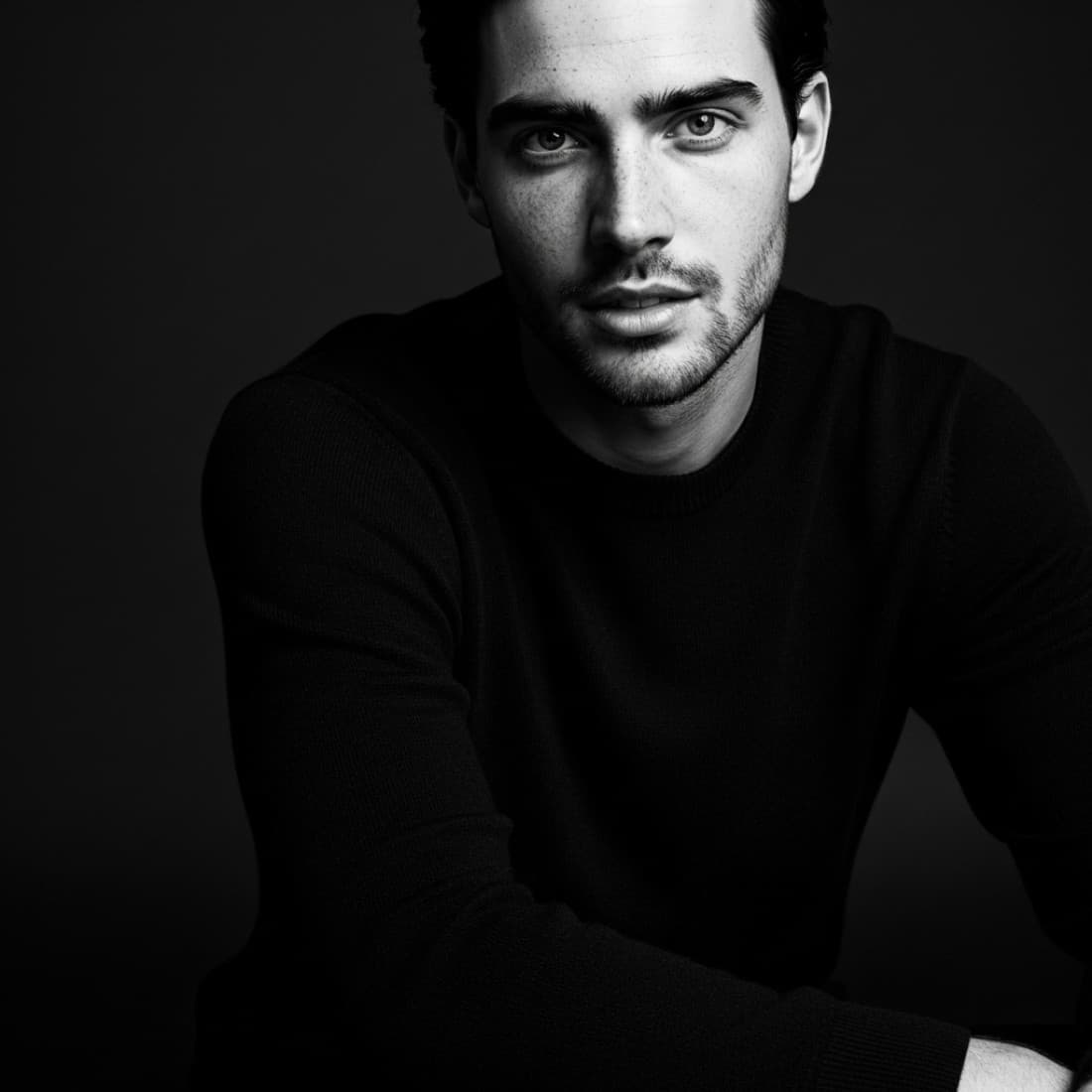
Using my uploaded photo, generate an executive editorial portrait: maintain my exact facial features and identity, wearing [WARDROBE: E.G. CHARCOAL SUIT WITHOUT TIE], dramatic low-key lighting with a single strong key light sculpting the face and controlled shadow on the far side, dark neutral background with soft falloff, shot as if with an 85mm lens at f/2.0 focused sharply on the eyes, composed authoritative expression with steady eye contact and no smile, upright posture with slight forward lean, chest-up framing, 4:5 vertical crop suitable for a company leadership page.
Generate the warm approachable headshot
Using my uploaded photo, generate a warm approachable professional headshot: maintain my exact facial features and identity, wearing [WARDROBE: E.G. SOFT KNIT IN WARM NEUTRAL TONE], bright natural window light from camera left with luminous soft skin rendering, softly blurred workspace background with warm tones and plants, shot as if with a 50mm lens at f/2.2, genuine relaxed smile reaching the eyes, slightly angled shoulders with head turned to camera, head-and-shoulders framing, square 1:1 crop. The mood is a trusted expert you would want to work with.
Generate the creative professional portrait
Using my uploaded photo, generate a contemporary creative professional portrait: maintain my exact facial features and identity, wearing [WARDROBE: E.G. BLACK TURTLENECK OR TEXTURED OVERSHIRT], bold studio lighting against a [COLOR: DEEP BLUE, WARM TERRACOTTA, OR GRADIENT] backdrop with dramatic color wash, shot as if with a 50mm lens at eye level, minimalist sophisticated composition with generous negative space, confident direct gaze with composed expression, high-end editorial style suitable for a design or media professional, 4:5 vertical crop.
Generate the speaker press photo
Using my uploaded photo, generate a professional speaker press photo: maintain my exact facial features and identity, wearing [WARDROBE] with polished styling, clean balanced three-point studio lighting with even magazine-quality skin rendering and a crisp rim light, solid mid-gray seamless background clean enough for press cutouts, shot as if with an 85mm lens at f/4 for full sharpness, engaged energetic expression as if mid-keynote, upright dynamic posture, chest-up framing with extra headroom so editors can recrop, 4:5 vertical crop at high resolution.
Refine Conversationally Until It Is Right
This is where ChatGPT beats other headshot tools: you can fix one thing at a time in plain language. These prompts target the most common fixes in the order they usually matter.
Run the likeness comparison
Compare the headshot you just generated against my original uploaded photo, feature by feature: eye shape and spacing, nose width and profile, mouth and smile shape, jawline and face width, hairline and hair texture, and skin tone accuracy. List every place the generation drifted from my real face, ranked by how noticeable it is, then regenerate correcting the top drift issues while keeping everything else that worked.
Fix one element without losing the rest
The last generation is close. Keep everything exactly as it is: same pose, same lighting, same background, same expression, same likeness. Change only this: [ONE CHANGE: SWAP THE BLAZER TO A LIGHTER GRAY / SOFTEN THE SMILE SLIGHTLY / REDUCE THE SHINE ON MY FOREHEAD / OPEN THE EYES SLIGHTLY / FIX THE COLLAR GEOMETRY]. Do not regenerate the whole concept; treat this as a retouching pass on the existing image.
Correct the skin rendering
The skin in this generation looks [PROBLEM: TOO SMOOTH AND PLASTIC / UNEVENLY RENDERED / TOO SHINY / MISMATCHED TO MY REAL SKIN TONE]. Regenerate with corrected skin: natural texture with visible pores at close inspection, realistic tonal variation rather than a uniform airbrushed surface, soft specular highlights only where the key light naturally lands (forehead, nose bridge, cheekbone), and my actual skin tone matched to the uploaded photo. Keep the pose, wardrobe, lighting direction, and expression unchanged.
Adjust the lighting mood
Keep this exact headshot but shift the lighting mood from [CURRENT: E.G. BRIGHT AND EVEN] to [TARGET: E.G. SOFTER AND MORE DIMENSIONAL]. Specifically: move the key light to 45 degrees camera left, deepen the shadow side slightly for facial dimension while keeping detail in the shadows, add a subtle rim light separating my shoulders from the background, and warm the overall color temperature slightly. Face, pose, wardrobe, and background stay identical.
Produce the final export set
This is the final approved headshot. Produce the export set: the original at maximum resolution, a tight square 1:1 crop optimized for circular profile display with my face centered in the safe zone, a 4:5 vertical crop for website and press use, and a version with slightly lifted brightness for small-size legibility in email signatures. Confirm each crop keeps my eyes in the upper third and nothing important is cut at the circular boundary.
Put the Headshot to Work
The finished headshot should upgrade your presence everywhere at once, with the surrounding copy matched to the same positioning.
Deploy across every platform
My final headshot projects [POSITIONING]. Give me the deployment checklist with specs: LinkedIn profile photo (size, crop, circular-safe), company website bio, email signature (small-size contrast check), Slack and internal tools, conference speaker submissions, and social profiles. For each, tell me if my current crop works or which variant from my export set to use, plus one common mistake to avoid at that destination.
Rewrite the LinkedIn headline to match
My new headshot creates the impression of [POSITIONING]. Rewrite my LinkedIn headline so the words match the image: 220 characters maximum, leading with the value I create for [AUDIENCE] rather than just a title, no buzzword filler, same tone as the photo (warm and expert / senior and composed / creative and sharp). Current headline: [PASTE]. Give me three options at different levels of boldness.
Align the About section opening
The first two lines of my LinkedIn About section show before the fold, right next to my new headshot. Rewrite them so photo and copy work as one first impression: line one states who I help and with what outcome, line two earns the click on "see more" with a specific proof point or point of view. My current About: [PASTE]. My positioning: [POSITIONING].
Create matching profile assets
Design direction for the assets around my headshot: a LinkedIn banner concept that complements the headshot colors and mood without competing with my face (describe layout, color palette pulled from the headshot, optional short text), a consistent background treatment for my other profile photos if platforms show them side by side, and an OG-style card layout for my personal site using the 4:5 crop. Describe each precisely enough to build in Canva.
Schedule the update rollout
Give me a 30-minute rollout plan for updating my headshot everywhere at once, ordered so nothing is forgotten: the platforms to update immediately, the ones that cache old photos and need extra steps, notifications my network will see and whether to pair the change with a post, and a simple record of where the headshot now lives so my next refresh takes ten minutes.
Frequently asked questions
Can ChatGPT really generate a professional headshot from my photo?+
Yes. ChatGPT generates images from an uploaded photo and can maintain your likeness while changing wardrobe, lighting, and background to professional standards. Its distinctive strength is conversational refinement: you can fix one element at a time in plain language, which is faster than regenerating from scratch in most dedicated tools.
How do I stop ChatGPT from changing my face?+
Anchor identity preservation in your first instruction and repeat it in every generation prompt: "maintain my exact facial structure, features, and identity." Then run a feature-by-feature likeness comparison after each generation (eye spacing, nose, jawline, hairline) and ask ChatGPT to correct only the drifted features. The session-anchoring prompt in stage one of this package sets this up from the start.
Is ChatGPT better than a dedicated headshot tool?+
They serve different workflows. Dedicated platforms like ThePortraitOS are optimized for likeness accuracy and batch generation from a reference set. ChatGPT wins on conversational control: interviewing you to build the brief, fixing individual elements without full regeneration, and producing the surrounding assets (LinkedIn headline, About section, banner concept) in the same session.
The most popular prompts in chatgpt headshot prompts: professional ai headshots with conversational editing
Other prompt packages you might like
AI Prompts for ThePortraitOS Headshot Prompts: Professional AI Headshots That Look Real
ThePortraitOS is built specifically for professional AI headshots, which means it rewards prompts that speak the language of portrait photography: lens choice, lighting setup, wardrobe, and expression direction.
See promptsAI Prompts for AI LinkedIn Headshot Generation
A weak LinkedIn photo costs you interviews, deals, and credibility before you say a word.
See promptsAI Prompts for Nano Banana Image Prompts: Photorealistic Portraits and AI Photography
Nano Banana (Google's Gemini image generation model, also known as Imagen 3) produces some of the most photorealistic portrait and product photography available from any AI image tool.
See prompts